Posts and photos
Posts and photos that keep your Google profile alive
Mekomi drafts posts for your business, publishes the ones you approve on schedule, and adds your photos at a natural pace during opening hours.
Updated
Start free trial- Thu 10:00Post: Free whitening check for new patientsApproved
- Fri 12:30Photo: Reception after the renovationQueued
- Mon 09:15Photo: Our teamQueued
Example data, not a real schedule
AI drafts, you approve
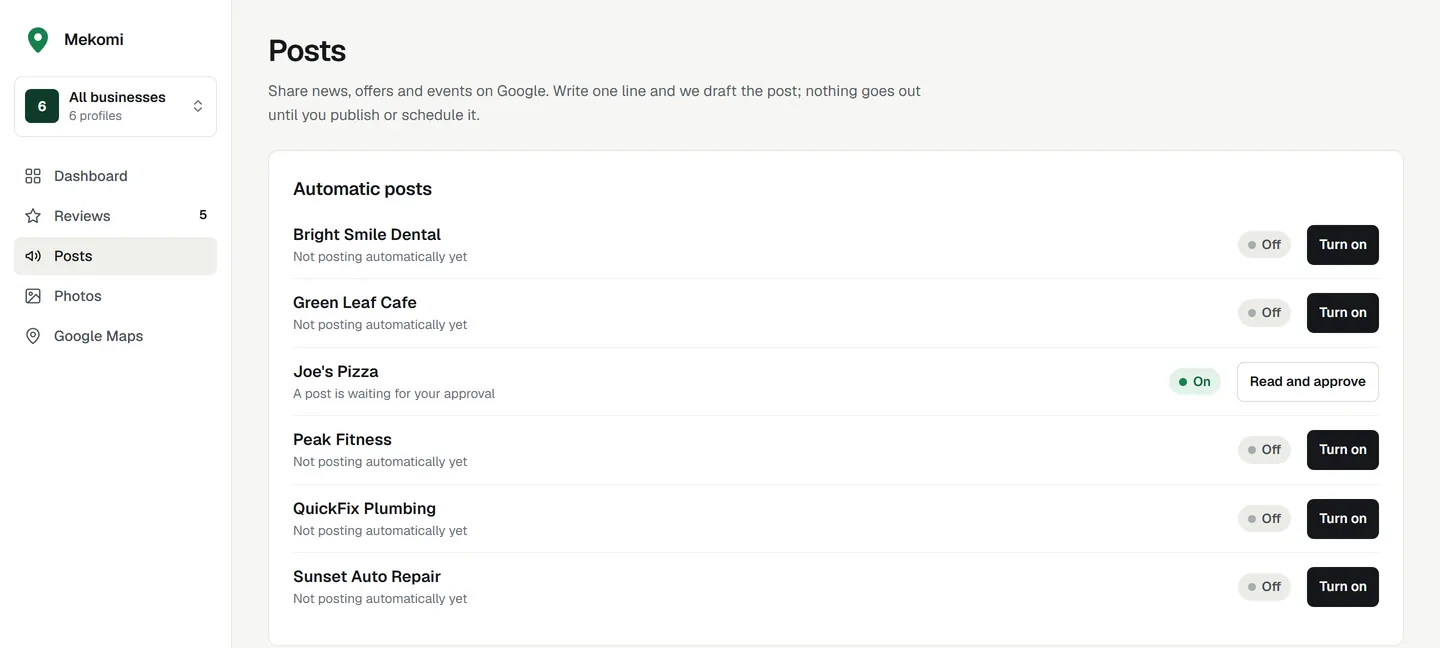
Write one line about what's new: a seasonal menu, an open day, a spring discount. Mekomi turns it into a post in your business's voice, and you edit it, approve it and pick the time.
It picks the right post type
An update for news, an offer for a deal, an event for something on set dates. Offers and events get a short title, plus their dates when your line gives them. It adds a button that fits, such as Book or Call, or none when nothing fits. Link buttons need a website on your profile.
It sticks to your facts
It's told to use only what your line says, never adding prices, dates or discounts of its own, and you review every draft before it goes out. It writes in the language of your line, in the tone of your review replies.
Several businesses at once
Pick more than one business and Mekomi drafts a separate post for each from the same line, so every profile gets its own version.
Not quite right? Ask again
Ask for a rewrite with a note, like "shorter" or "mention parking", or edit the text yourself. Nothing goes to Google until you schedule it.
Checked before it goes out
Google reviews every post after it is published and rejects some, so Mekomi checks yours when you schedule it and again just before it goes out. An event can end while its post waits.
- No phone number in the text: Google says posts with one in the description might get rejected. Use the Call button instead.
- No links in the text, a Mekomi rule: the button carries your link, which must be a full web address starting with http:// or https://.
- Offers and events need a title and a start and end date, and the end date can't have passed.
- Mekomi keeps posts within 1,500 characters and titles within 58.
Published on schedule
Pick any time in the next year, or publish now. Mekomi looks for posts that are due every 15 minutes and sends them to Google through its official Business Profile APIs.
Your dashboard tells you when a business hasn't posted for 7 days, the same rhythm the ranking diagnosis checks for.
The Google check after publishing
Sometimes a post reaches Google but the answer gets lost on the way back. Sending it again could put it on your profile twice, so Mekomi checks first.
- 15 minutes later, it looks at your profile's recent posts for one with the same text.
- Found: the post is marked as published. Not found after two looks: it is sent again, up to 3 tries in all.
- If Mekomi can't reach Google after four looks, it stops and shows a Check again button. It never sends the post again without looking first.
- If Google rejects a post, you see that on the post, so you can edit it and try again.
Photo autopilot
Upload a batch of photos once and pick a type for each: exterior, interior, product, at work, team and more. Mekomi publishes them a few at a time, only when your business is open, so your profile keeps looking current.
Google's photo requirements are JPG or PNG, between 10 KB and 5 MB, and at least 250 pixels on each side. Mekomi checks every photo against them when you upload it, and each photo gets the same Google check after sending as posts do.
- Fill mode while you have fewer than 20 photos on Google: 2 photos a day by default (you can choose 1 to 5), at least 3 hours apart.
- Steady mode from 20 photos on: 2 a week by default (1 to 7), with the spacing varied a little so photos don't land like clockwork.
- Only during your opening hours on Google (daytime hours if Google has none). Days marked closed are skipped.
- The photo type posted longest ago goes next, so your profile gets a mix.
- Duplicate photos are refused before they are sent, and large photos are scaled down before upload.
- Your cover photo, profile photo and logo are never changed.
Not sure what to post?
Our guide covers the three post types Google supports, ideas for each kind of business, how often to post, Google's photo rules and what gets a post rejected.
FAQ
Common questions
How often should a business post on Google?
Google doesn't publish a number. Once a week is a good rhythm to keep, and it is what Mekomi's diagnosis checks for: a profile with no post in the last 7 days fails the posting check.
Can I schedule posts for several businesses?
Yes. Draft one idea for several businesses at once, and each gets its own post and its own schedule. You can see them all from one place.
What happens if Google rejects a post?
The post is marked as rejected in Mekomi, so you can see it didn't go live. Edit it to follow Google's rules for posts, then schedule it again.
Do posts and photos help ranking?
They keep your profile fresh and give searchers a reason to choose you. Mekomi's diagnosis shows how your activity compares with the businesses Google shows for your keywords.
Start your 7-day free trial.
Pick a plan and try every feature free for 7 days. Cancel before the trial ends and you pay nothing.